


ACME Markets Deals & Delivery
4.83.12K Reviews
App Specs
- Version
- 2026.27.0
- Updated On
- License
- Free
- Downloads
- 1,000,000+
- Developer
- Albertsons Companies, Inc.
- Categories
- Shopping
- Platform
- Android, iOS
Screenshots
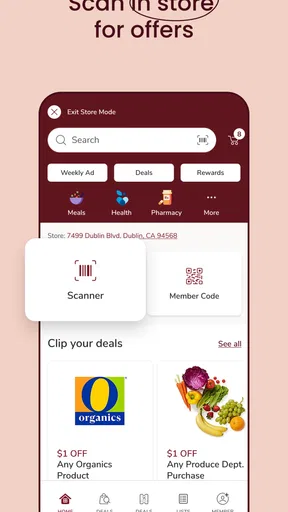
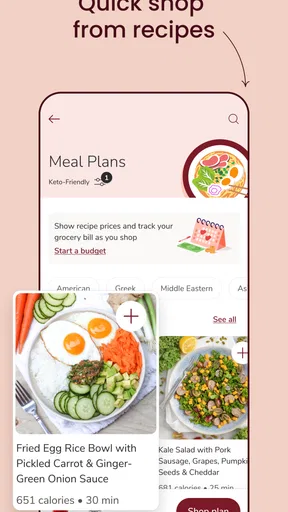
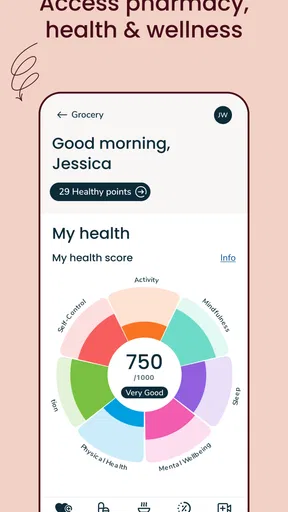
 Analysis by AppCompare
I found ACME Markets Deals & Delivery most useful when I treated it as a shopping companion rather than simply a digital version of the checkout lane. The app brings ACME shopping tasks into one place: browsing deals, clipping coupons, checking fuel information, managing prescriptions, and arranging grocery delivery or pickup. That combination can save time, but it also means the experience depends on getting a few details right before placing an order.
My overall impression is positive. This is a free shopping app from Albertsons Companies, Inc., aimed at people who already shop at ACME Markets or live close enough to use its services. It is available for Everyone, supports devices running Android 8.0 or later, and the current version is 2026.27.0. The app has an average rating of 4.8 from roughly 44 thousand ratings, with more than a million installs, so it is clearly used by a substantial number of shoppers.
Getting past the first points of friction
The most common difficulty with an app like this is not finding the download or opening the home screen. It is making sure the app understands which ACME store, shopping method, and account details apply to you. If those choices are incomplete, deals may be harder to use, pickup or delivery options may not appear as expected, and prescription tasks can feel disconnected from the rest of the experience.
I recommend starting with the store you actually visit most often, even if another location is slightly closer on a map. A nearby store may have different stock, collection times, or service availability. Choosing the wrong location can make the app look unreliable when the real issue is that it is showing information for a different branch.
The same care matters when switching between shopping modes. A product that is easy to find for pickup may not be offered for delivery in the same way, and an item shown in a deal can still require you to clip or activate the offer before checkout. I found it helpful to decide early whether I was building a pickup basket, arranging delivery, or simply checking prices and coupons for an in-store trip.
The important habit is to confirm the store and shopping method before spending time on the basket. That small check prevents a surprisingly large amount of backtracking. It is especially worthwhile when you are shopping for several people, preparing a weekly order, or relying on a specific product being available.
What to check before clipping deals
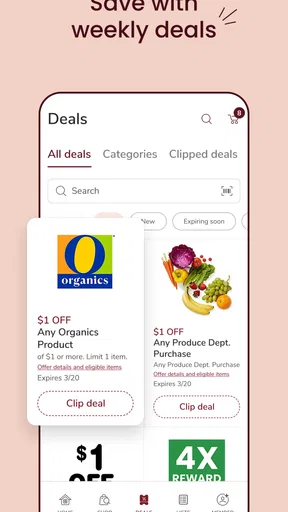
Coupons are one of the strongest reasons to use the app, but they work best when handled before you reach the final stage of shopping. I would open the deals area first, review offers that match the items I already intend to buy, and clip the useful ones before filling the basket. This is more practical than scrolling through every promotion and then trying to remember which products were connected to which offer.
Worth Reading Before You Choose

EA SPORTS FC Mobile 26 Is a Bigger Football Game, but It Takes Time

Flipboard Shows What News Apps Must Do Beyond the Feed

Switching to Android Auto Means Rethinking Your Driving Routine

Google Calendar Makes a Crowded Week Easier to Manage

Ludo King Makes the Most of the Minutes Between Plans

Baby Panda World Brings Quick Play to Modern Phones, but Its Game Library Feels Busy
There is also a useful distinction between a deal that looks attractive and a deal that fits your actual shop. A coupon may tempt you to buy something you did not need, while a smaller-looking offer on a regular staple can make a bigger difference to the final bill. I use the app to plan around products already on my list rather than allowing the deal section to become the list.
When an offer does not appear to apply, I would check the product size, brand, quantity, and any wording attached to the promotion before assuming the app has failed. Digital coupons often depend on details that are easy to overlook while browsing. If the basket contains a similar but not identical item, the promotion may not be triggered.
Another practical step is to keep the app open while reviewing the final basket. I like to check that clipped offers are still visible and that the selected products match the promotion. This does not guarantee that every pricing question is solved inside the app, but it gives me a better chance of catching a mismatch before submitting an order or heading to the store.
Setting up delivery and pickup without surprises
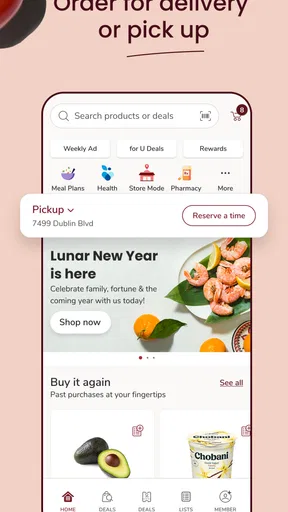
For grocery delivery or pickup, the app is most valuable when I am short on time or want to avoid a full trip through the store. I can build the order at a convenient moment, review the basket, and choose the service that fits the day. Pickup is a good match when I will already be near the store and want to reduce shopping time. Delivery makes more sense when travel is difficult or when carrying a large order would be inconvenient.
Before confirming, I would carefully review the selected location and the available collection or delivery choice. I would also look over substitutions or unavailable-item decisions if the ordering flow presents them. These details matter more than the simple act of adding food to a basket, because they determine what happens when the exact product is not ready in the expected way.
A realistic example is a busy weekday evening. I might use the app during a lunch break to clip a coupon, add dinner ingredients, and arrange pickup for the journey home. If I choose the wrong ACME location at the beginning, the time saved by ordering ahead can disappear when I discover that the selected store is in another direction or does not show the service I wanted.
For a large family order, I would split the process into two reviews: first the products, then the fulfillment details. Looking only at the total can hide an incorrect quantity or a missing staple. Looking only at the items can cause you to overlook the selected store or service. The app works better when those are treated as separate checks.
Recovering when the workflow stops behaving normally
When a coupon, basket, or store selection appears stuck, I start with simple recovery steps rather than repeatedly tapping the same control. I return to the previous screen, reopen the relevant section, and check whether the change was actually saved. Sometimes the screen has not refreshed even though the selection has been accepted.
If the issue involves a product, I search for it again instead of relying only on an old basket entry. This can help distinguish a temporary display problem from a genuine availability change. I also compare the product description and size with the deal requirements, since a near match is not necessarily an eligible match.
For delivery or pickup, I would rebuild only the affected part of the order if necessary. Removing one questionable item and adding it again is less disruptive than abandoning the whole basket. If the app loses the selected service, I would recheck the store first, then choose the service again, and only afterward review the order contents.
Keeping the app updated is sensible, particularly because the current release is 2026.27.0 and older installations may behave differently from the version ACME currently supports. I would also make sure the device meets the minimum requirement of Android 8.0 or later. On an older phone that technically qualifies but struggles with other modern apps, slow loading may be a device limitation rather than a problem unique to ACME Markets Deals & Delivery.
For account or prescription-related tasks, I would avoid guessing when a detail is important. Re-entering a prescription request repeatedly can create confusion, so I would first review the information already entered and then use the app’s available support path if the problem remains. The prescription area is potentially more sensitive than ordinary grocery browsing, and careful review is more appropriate than rushing through it.
When the app is not the real cause
Not every missing product or unavailable service indicates an app error. Grocery stock changes throughout the day, and the store selected in the app may not have the same inventory as another ACME location. If one item is unavailable, I would search for alternatives or check another store before concluding that the entire ordering system is broken.
Likewise, fuel information is useful for planning, but it should not be treated as a promise that a location will remain unchanged by the time I arrive. If fuel is the reason for opening the app, I would use the information as a quick planning reference and still allow for normal changes at the station.
Connectivity can create confusing symptoms. A weak connection may leave an old basket visible, delay a coupon update, or make a location appear unavailable. I would wait for the page to refresh, switch to a more reliable connection if possible, and reopen the app before changing several settings. Making many edits while the connection is unstable can make it harder to tell which action succeeded.
There is also a difference between an app problem and a store-service limitation. If delivery or pickup is not offered for a particular location or time, the app may simply be reflecting what that store can handle. In that situation, an in-store visit or another ACME location may be the better option. The app is not a substitute for local availability.
How it compares with ordinary shopping alternatives
Compared with using paper flyers or walking through the store looking for signs, the app gives me a more organized way to review deals and plan a basket. Its advantage is strongest when I already know I will shop at ACME and want to combine promotions with pickup, delivery, fuel information, or prescription tasks.
Compared with a general grocery delivery service, its appeal is its direct connection to ACME Markets. That can make it the more natural choice for an ACME regular, particularly when store-specific deals matter. A general marketplace may be a better fit for someone who wants to compare several supermarket chains in one place or who does not usually shop at ACME.
Compared with shopping entirely in person, the app reduces some browsing and waiting, but it adds planning. I have to choose the right store, understand the coupon, review the basket, and pay attention to the fulfillment method. Someone who enjoys selecting every item personally may prefer the store, especially for produce or products where appearance matters.
The app is also not equally valuable for every shopper. It is a strong fit for repeat ACME customers, people who regularly use digital coupons, families planning larger grocery runs, and anyone who benefits from pickup or delivery. I would be less likely to recommend it to someone who rarely visits ACME, does not use digital deals, or prefers a single app that compares many retailers.
Small habits that make the app more useful
My first useful habit is to separate deal discovery from impulse buying. I check the offers against a shopping list, then build the basket. This keeps the app focused on saving time and money rather than encouraging extra purchases simply because a promotion is visible.
My second is to verify the store twice: once before browsing and again before submitting a pickup or delivery order. The first check keeps browsing relevant; the second catches accidental changes made while moving through the app. This is particularly helpful after switching between fuel, prescriptions, and grocery shopping.
My third is to review the order as if I were packing it myself. I look for duplicate items, missing essentials, incorrect sizes, and products that were added because of a coupon rather than because I needed them. That final mental packing exercise is more useful than staring only at the total.
For recurring shopping, I would also keep a short personal list outside the deal screen, whether that means a note on the phone or a familiar weekly routine. The app can help locate offers and arrange fulfillment, but it should not be expected to remember every household preference automatically. A simple list makes the digital workflow less dependent on browsing memory.
My practical verdict on ACME Markets Deals & Delivery
After using it as a combined grocery, coupon, fuel, prescription, pickup, and delivery tool, I see ACME Markets Deals & Delivery as a practical choice for shoppers who are already connected to ACME Markets. The free price removes the main barrier to trying it, and the broad set of shopping tasks gives it more purpose than a basic digital circular.
Its main weakness is that convenience depends on accuracy. The wrong store, an unchecked coupon condition, an overlooked fulfillment choice, or a stale connection can turn a quick order into extra work. I do not consider that a reason to avoid the app, but I would not use it carelessly for a time-sensitive shop without reviewing the details.
The high average rating of 4.8 and its large user base suggest that many shoppers find the overall experience worthwhile, but my recommendation still depends on your habits. If ACME is your regular supermarket, I would install it and use it first for coupons and store-specific planning, then add pickup or delivery once the basic workflow feels familiar. If you shop across many chains or prefer complete in-person control, the app may offer less value.
In short, ACME Markets Deals & Delivery is best when you use it deliberately: select the correct store, clip only relevant deals, inspect the basket, and treat availability as something to verify rather than assume. With those checks, it can make an ordinary ACME trip more organized and can save a useful amount of time when pickup or delivery fits your routine.
For me, that balance makes it worth keeping on the phone. It is not a replacement for judgment at the shelf or a guarantee that every item will be available, but it is a capable shopping app for ACME customers who want deals, grocery ordering, fuel information, and prescription tasks gathered in one place.
Pros
- Conveniently browse weekly deals from your phone.
- Delivery options help save a trip to the store.
- Product categories make offers easier to find.
- Useful for comparing promotions before shopping.
- May support faster repeat ordering for regular purchases.
Cons
- Deals and availability may vary by location.
- Delivery fees can reduce the value of some discounts.
- Some promotions may require account registration.
- Popular sale items may sell out quickly.
- App performance can depend on your internet connection.
FAQs for ACME Markets Deals & Delivery
What is ACME Markets Deals & Delivery?
ACME Markets Deals & Delivery is a shopping app designed for ACME customers who want to browse weekly specials, build a grocery order, and arrange pickup or delivery where available. After signing in and selecting a preferred store, users can view eligible products, add items to a cart, and check current promotions. Availability, pricing, and services may vary by location.
Can I use the app to access ACME weekly deals and digital coupons?
Yes, the app is intended to make ACME savings easier to find in one place. Depending on your account and selected store, you may be able to browse weekly advertisements, clip digital coupons, and apply eligible loyalty offers to a purchase. Some promotions have product, quantity, date, or membership restrictions, so reviewing the offer details before checkout is important.
Does ACME Markets Deals & Delivery offer grocery delivery and store pickup?
The app may support both grocery delivery and curbside or in-store pickup, but the available option depends on your ZIP code, selected ACME location, local inventory, and delivery coverage. After entering your address, the app should show the services offered in your area and the available time slots. Fees, minimum order requirements, and substitutions can also differ.
Can I request substitutions or make changes to my grocery order?
When placing an order, users may be able to indicate substitution preferences for items that are unavailable. Options can depend on the store and fulfillment method, and not every product will have a suitable replacement. Order changes are generally possible only before the store begins preparing it, so check the order status and cutoff time carefully if you need to add or remove items.
Is ACME Markets Deals & Delivery free to download and use?
The app is generally free to download, although using its shopping services may involve additional costs. Delivery charges, pickup fees, small-order fees, taxes, and product price differences can apply depending on the order and location. Digital coupons and loyalty savings may reduce the total, but they do not necessarily remove service fees. Always review the final checkout summary before confirming.


